Compare
The Compare tools provide a side-by-side view of differences between elements across different deployment environments.
How Comparison Works
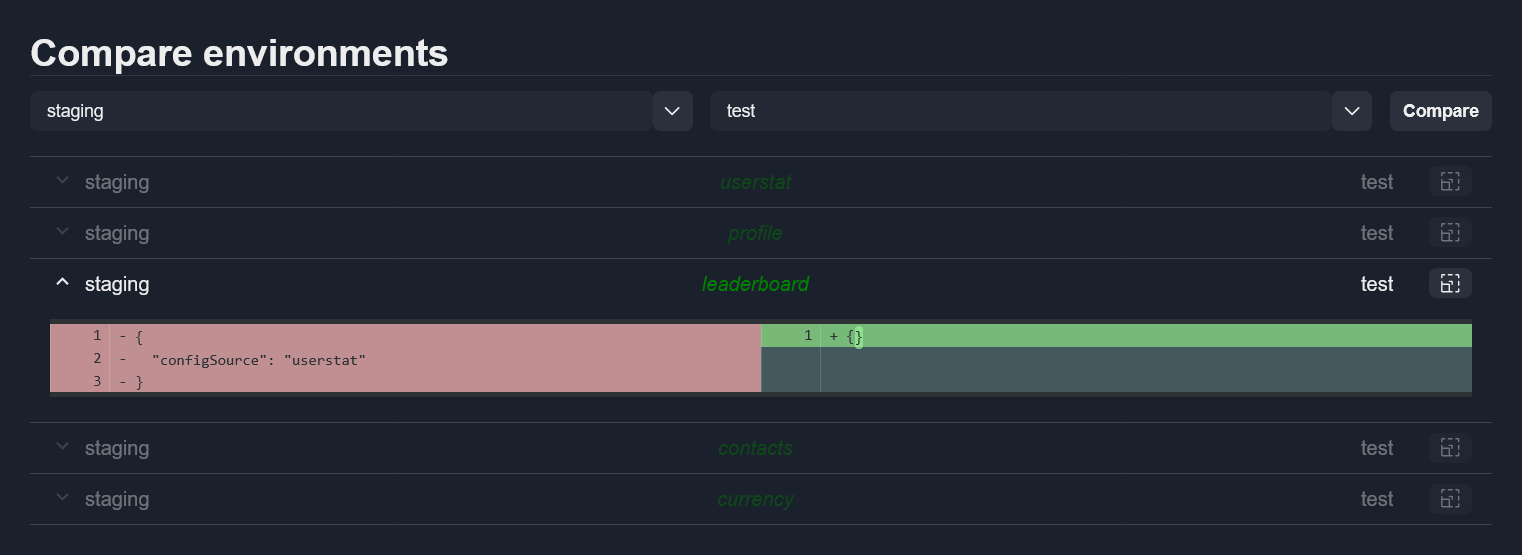
Select two items from the dropdown menus and click Compare.
The system loads all elements from both sources and groups them by type in collapsible accordion items.
Viewing Differences
Expand an item to see its sub-elements:
Elements with differences are displayed in black text and can be expanded.
Identical elements are displayed in gray and are disabled.
Diff View
The diff view shows content side by side with highlighting:
Green – Added content
Red – Removed content
If an element exists in only one source, an error message indicates which source the element is missing from.
Note
Comparison is read-only. Elements cannot be edited in this view.